Visual Effects prompt
Accessible Glassmorphism Card Effect
Create a frosted-glass card that stays readable on any background, with backdrop blur, border highlight, fallbacks and contrast checks.
The prompt
Write HTML and CSS for a glassmorphism card that is genuinely readable.

Card content: {{card_content}}.
Background behind the card: {{background_scene}}.
Glass theme: {{theme}}.

Specification:
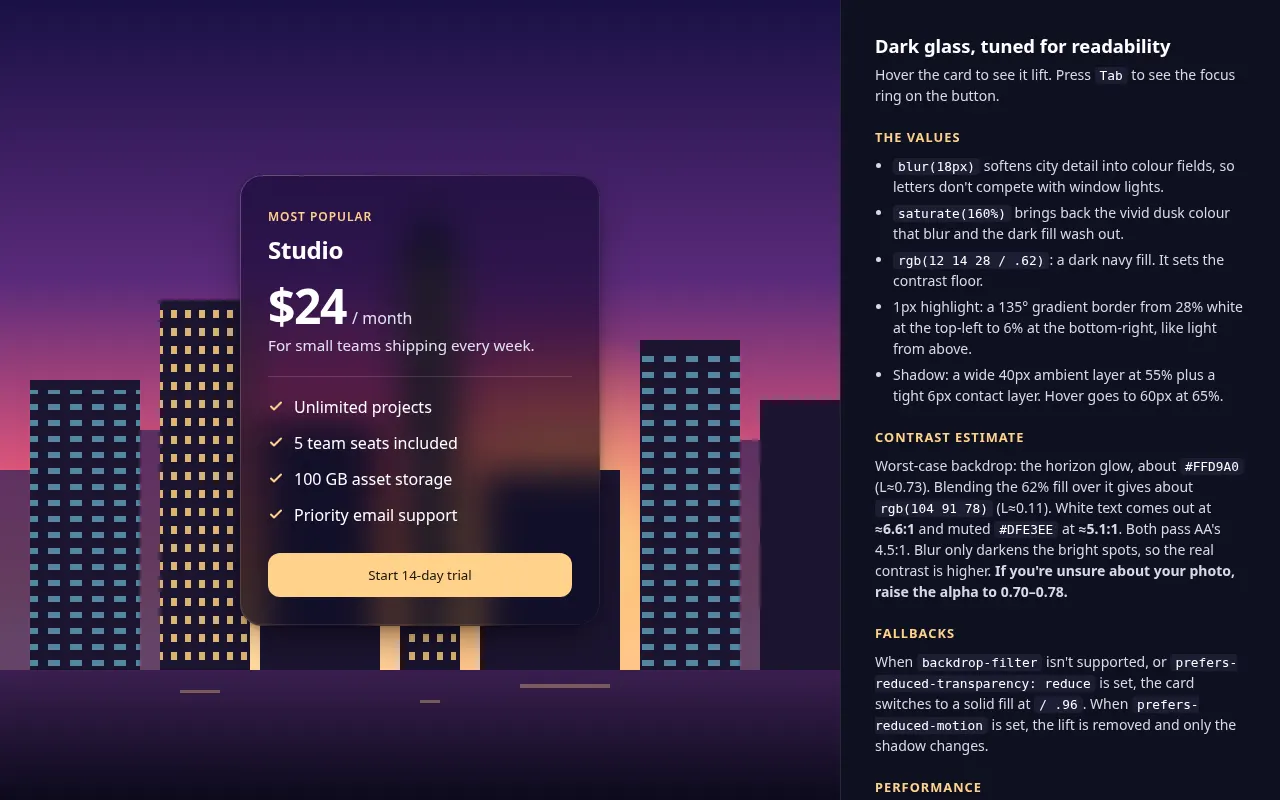
- Use backdrop-filter: blur() with saturate(), a semi-transparent fill, a 1px inner highlight border (top-left lighter than bottom-right) and a soft outer shadow. Give exact values and explain each.
- Readability: choose the fill opacity so text keeps at least 4.5:1 contrast even over the brightest part of the background. Explain how you estimated this and suggest increasing fill opacity if unsure.
- Fallback with @supports not (backdrop-filter: blur(1px)): a solid, near-opaque fill that looks intentional.
- States: hover lift (translateY -4px, shadow grows, 180ms ease-out) and a focus-visible ring for the button inside.
- Respect prefers-reduced-transparency where supported by switching to the solid fallback, and prefers-reduced-motion by removing the lift.
- Performance note: limit backdrop blur to elements smaller than about a third of the viewport and avoid animating the blur radius.

Output: semantic HTML, commented CSS using custom properties for every tunable value, and a short "do and don't" list for using glass effects in a real UI. Variables
| Variable | What to put | Example |
|---|---|---|
{{card_content}} | What the card contains | Pricing plan: name, price, 4 features, button |
{{background_scene}} | What sits behind the card | A colourful photo of a city at dusk |
{{theme}} | Light or dark glass | Dark glass |
Tips
- Glass works best over busy, colourful backgrounds; over flat colour it just looks grey.
- Never place small grey text on glass. Keep body text white or near-black at full opacity.
Related prompts
- Animated Mesh Gradient Background (CSS)Get a soft, slowly shifting mesh-gradient hero background in pure CSS, with a static fallback, a performance budget and reduced-motion support.
- Design System Tokens from a Brand BriefTurn a short brand description into a full set of design tokens (colour, type, spacing, radius, shadow, motion) as JSON and CSS custom properties.
- WebGL Particle Hero with Three.jsBuild an interactive particle field hero section in Three.js that reacts to the cursor, with a strict performance budget and a no-WebGL fallback.
- Admin Dashboard UI Layout Spec PromptDesign a data-heavy dashboard screen with clear hierarchy: layout grid, KPI cards, charts, tables, filters, empty and error states.