Interaction prompt
Command Palette (⌘K) Search UI
Build a keyboard-first command palette with fuzzy search, grouped results, recent items and full accessibility using the combobox pattern.
The prompt
You are a senior front-end engineer. Build a command palette for {{app_name}}.

Searchable content: {{commands}}.
Visual style: {{visual_style}}.

Behaviour:
- Opens with Cmd+K / Ctrl+K and with a visible button; closes with Escape, clicking outside, or selecting an item. Focus returns to whatever opened it.
- Implements the WAI-ARIA combobox + listbox pattern: input with role="combobox", aria-expanded, aria-controls, aria-activedescendant; results with role="listbox" and role="option"; group headings exposed to assistive tech.
- Arrow keys move the active option (wrapping), Enter runs it, Home/End jump, Tab does not trap the user unexpectedly.
- Fuzzy matching with highlighted matched characters; ranking: exact prefix > word start > fuzzy; recent items shown when the query is empty.
- Shows keyboard shortcuts on the right of each action.
- Empty state: "No results for '…'" with a suggestion.
- Announces the number of results in a polite live region, debounced 300ms.

Visual spec: width 640px (full width minus 16px on mobile), max height 60vh, 8px radius, list rows 44px, active row highlighted with accent background at 4.5:1 text contrast, open animation 140ms scale 0.98→1 with opacity, reduced-motion = opacity only.

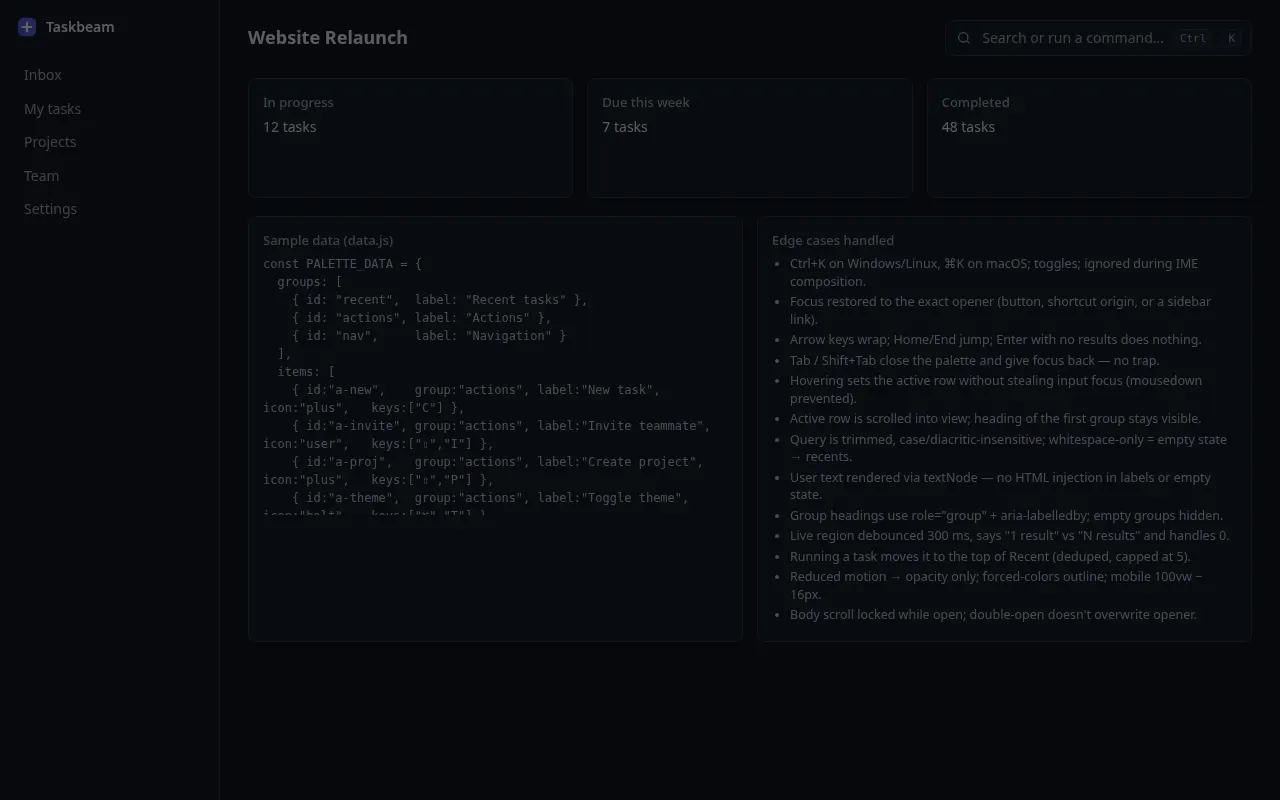
Output: component code with no external search library, CSS, a sample data file and a short list of edge cases you handled. Variables
| Variable | What to put | Example |
|---|---|---|
{{app_name}} | Your app | Taskbeam, a project management tool |
{{commands}} | Groups of actions and items to search | Navigation (projects, settings), Actions (new task, invite teammate), Recent tasks |
{{visual_style}} | Look of the palette | Dark, minimal, like a spotlight search |
Tips
- Keep the palette for actions as well as navigation; that is what makes power users adopt it.
- Test with a screen reader: activedescendant patterns break easily if ids change on re-render.
Related prompts
- Accessible Multi-step Form FlowDesign and build a multi-step form with validation, progress, save-and-resume and error handling that works for keyboard and screen-reader users.
- Button States & Micro-interactions SpecSpecify every state of a button set (primary, secondary, ghost, destructive) with exact colours, timings, focus rings and loading behaviour.
- Drag-and-drop Kanban Board InteractionSpecify and build a kanban board where cards can be moved by mouse, touch and keyboard, with clear drop feedback and undo.