Interaction prompt
Drag-and-drop Kanban Board Interaction
Specify and build a kanban board where cards can be moved by mouse, touch and keyboard, with clear drop feedback and undo.
The prompt
Act as an interaction designer and front-end engineer. Design and build a kanban board for {{board_use}}.

Card content: {{card_fields}}.
Implementation: {{tech_stack}}.

Interaction spec:
1. Pointer drag (mouse and touch via Pointer Events): press and hold 150ms on touch before drag starts to avoid conflicts with scrolling; the card lifts (scale 1.03, shadow level 3, 120ms), a placeholder of the same height stays in the original position, and a drop indicator line shows the exact insertion point.
2. Auto-scroll the board horizontally and the column vertically when dragging near edges (speed proportional to distance from edge).
3. Keyboard: focus a card, press Space to pick up, arrow keys to move between positions and columns, Space to drop, Escape to cancel. Announce each step in an aria-live region ("Picked up 'Q3 newsletter'. Column Drafting, position 2 of 5.").
4. Drop animation: card settles into place over 180ms with an ease-out curve; reduced motion = instant.
5. Undo: after any move show a toast "Moved to Editing · Undo" for 6 seconds.
6. Column limits (optional WIP limit): column header turns to warning colour when over limit, with text, not colour alone.
7. Persist order to localStorage and expose an onChange callback for a backend.

Output: state model, component code, CSS with tokens, and a manual test plan for mouse, touch, keyboard and screen reader. Variables
| Variable | What to put | Example |
|---|---|---|
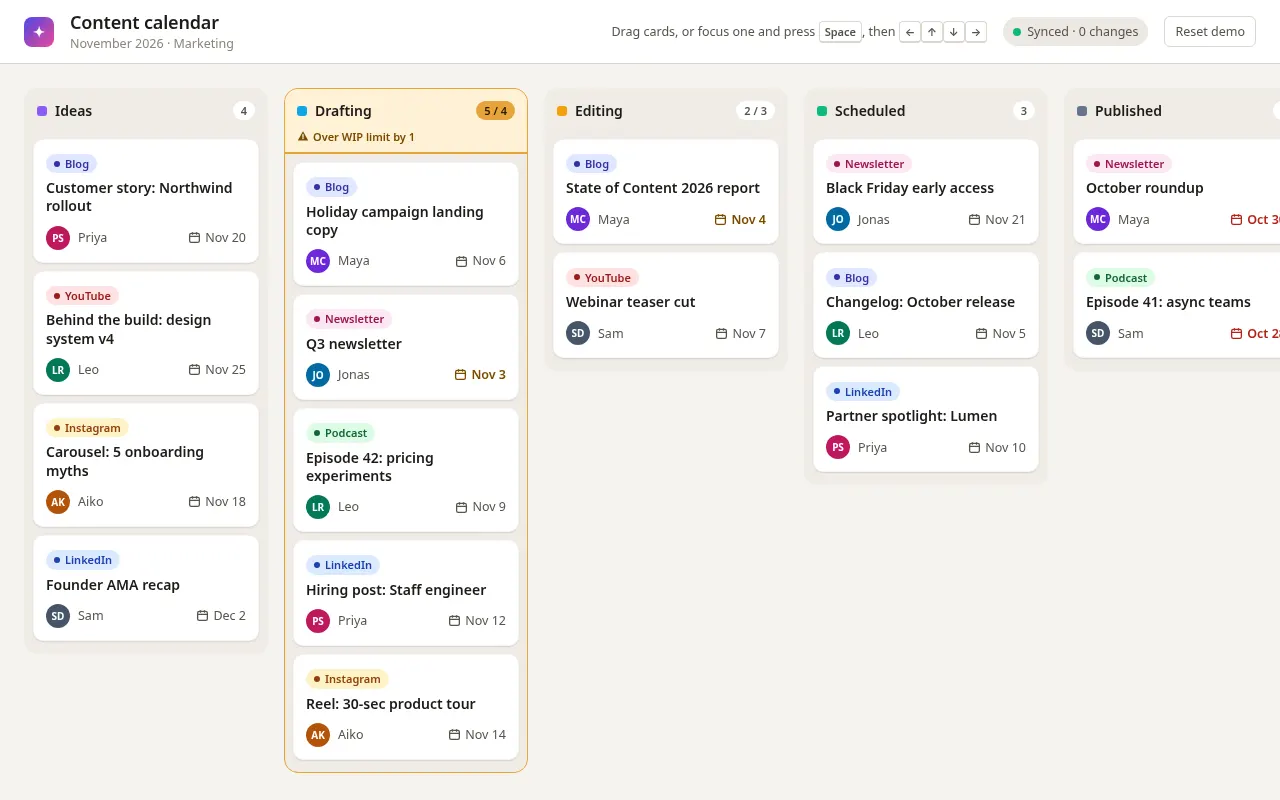
{{board_use}} | What the board tracks | Content calendar: Ideas, Drafting, Editing, Scheduled, Published |
{{card_fields}} | What each card shows | Title, owner avatar, due date, channel tag |
{{tech_stack}} | How it will be built | React with no drag-and-drop library |
Tips
- Keyboard dragging is the part most implementations skip; keep step 3 in the prompt.
- Ask for unit tests of the reorder function separately from the UI code.
Related prompts
- Command Palette (⌘K) Search UIBuild a keyboard-first command palette with fuzzy search, grouped results, recent items and full accessibility using the combobox pattern.
- Accessible Multi-step Form FlowDesign and build a multi-step form with validation, progress, save-and-resume and error handling that works for keyboard and screen-reader users.
- Button States & Micro-interactions SpecSpecify every state of a button set (primary, secondary, ghost, destructive) with exact colours, timings, focus rings and loading behaviour.
- WebGL Particle Hero with Three.jsBuild an interactive particle field hero section in Three.js that reacts to the cursor, with a strict performance budget and a no-WebGL fallback.